

Compared · Updated 19 October 2026
The best WordPress portfolio gallery plugins, compared.
PrismFX Portfolio against Envira Gallery, FooGallery, Modula, Visual Portfolio and Essential Grid: layouts, motion, protection, selling, speed and what each one costs after the first year. Every competitor fact comes from the vendor’s own site or WordPress.org.



The short answer
Want the most layouts and real motion? PrismFX. Selling or proofing client photos? Envira or FooGallery. Building grids from posts? Visual Portfolio or Essential Grid.
Disclosure: PrismFX Portfolio is our plugin. We’ve held it to the same standard as the others and listed where it falls short. Competitor prices and features were checked on each vendor’s own pricing and feature pages and on WordPress.org on 19 October 2026. Prices change often, so check the vendor’s page before you buy.
Quick picks
The best plugin for each job.
No single plugin wins everything. Here is where each one is strongest.
Most layouts and most motion: PrismFX
30 layouts, nearly twice as many as the next plugin here, and 27 of them are 3D or animated. Coverflow, 3D Ring and Expanding Panels are free; Helix, Sphere, Tunnel, Flip Book and 20 more come with Pro.
Proofing and big client libraries: Envira
Albums, client proofing, Lightroom, WooCommerce, watermarks and a NextGEN importer, spread across its Basic, Plus and Pro plans.
Selling photos: FooGallery
PRO Commerce sells images through WooCommerce and adds watermarks. Albums and password protection are free, and lifetime licenses are available.
Speed tools and switching: Modula
Image compression and a CDN from the Trio plan, plus free migrators from NextGEN, Envira and FooGallery.
Load more and post grids: Visual Portfolio
Free paging, load more and infinite scroll for long galleries, and grids built from posts and custom post types. PrismFX doesn’t do either.
Posts, products and feeds: Essential Grid
A visual skin editor and 60+ templates for grids built from posts, WooCommerce products and social feeds. There is no free version.
At a glance
Six plugins, one table.
Who each plugin is for, how big it is, and where pricing starts.
Swipe the table sideways to see every plugin →
| PrismFX Portfolio | Envira Gallery | FooGallery | Modula | Visual Portfolio | Essential Grid | |
|---|---|---|---|---|---|---|
| Best for | Portfolios that should move: 3D, motion and scroll effects | Wedding and event photographers who proof and sell | Photographers who sell prints and downloads | Good-looking galleries on a budget, with speed tools | Long galleries with load more, and portfolios built from posts | Grids of posts, products and social feeds |
| Made by | PrismFX | Envira Gallery, LLC (since 2014) | FooPlugins | WPChill | nK | ThemePunch, makers of Slider Revolution (since 2014) |
| Free version | Yes, 6 layouts | Yes, Envira Gallery Lite | Yes, 7 layouts | Yes, 6 layouts | Yes, every layout | No |
| Layouts | 30 (6 free)The most of the six | 16 (Lite has 1) | 11 (7 free) | 11 types (6 free) | 5, all free | Even, Masonry, Cobbles + 60+ templates |
| 3D and animated layouts | 27 (3 free) | None; 50+ entrance animations (Pro) | None; hover and thumbnail effects | None; hover and load effects | Coverflow (free), hover tilt (Pro) | None; animated filtering and hover skins |
| WordPress.org installs | New in 2026; listing in review | 100,000+ | 100,000+ | 100,000+ | 60,000+ | Not listed on WordPress.org |
| WordPress.org rating | No reviews yet | 4.7 / 5 (1,596) | 4.8 / 5 (993) | 4.7 / 5 (616) | 4.8 / 5 (340) | — |
| Cheapest paid plan | $49 / year | $39.50 first year, then $79 | $49.99 / year | $39 first year, then $78 | $49 / year | $45 / year |
| Lifetime license | Yes, from $149 | No | Yes, from $199.99 | Yes, from $269 | No | No (retired) |
Installs and ratings are from each plugin’s WordPress.org page on 19 October 2026. Essential Grid is sold only from its own site. PrismFX’s WordPress.org listing is waiting for review; the free plugin is available from this site.
Layout count
PrismFX has the most layouts.
More layouts means more ways to present each project without adding another plugin. PrismFX has 30: nearly twice as many as Envira Gallery (16) and almost three times as many as FooGallery or Modula (11). Switch any gallery to a new layout in one click, and its titles, categories and buttons stay put.
Counted from each vendor’s own layout list on 19 October 2026. Essential Grid’s 60+ templates are styles built on its three grid types (Even, Masonry and Cobbles), so we count the grid types. The full numbers are in the at-a-glance table above.
Feature table
27 features, free or paid.
Each cell shows whether a feature is in the free version or, if not, the cheapest paid plan that includes it. “Not listed” means the vendor doesn’t mention it, so ask them before you rely on it.
Swipe the table sideways to see every plugin →
| Feature | PrismFX Portfolio | Envira Gallery | FooGallery | Modula | Visual Portfolio | Essential Grid |
|---|---|---|---|---|---|---|
| Layouts and motion | ||||||
| Number of layouts | 306 free + 24 in Pro. The most here | 161 in Lite | 117 free | 11 types6 free | 5All free | 3 grid typesPlus 60+ templates |
| Grid and masonry | FreeGrid, Masonry | Paid plansMason, Grid, Square and more | FreeResponsive, Masonry, Portfolio | FreeMasonry, Uniform Grid, Creative | FreeGrid, Masonry, Tiles | All plansEven, Masonry, Cobbles |
| Justified rows | Free | FreeAutomatic layout | Free | FreeJustified Grid | Free | Not listed |
| Carousel or slider | FreeCoverflow; more slideshows in Pro | BasicSlideshow | FreeCarousel; Slider in Starter | TrioGallery Slider | FreeSlider with Coverflow | NoUses a Slider Revolution embed |
| 3D layouts | FreeCoverflow, 3D Ring, Expanding Panels; 24 more 3D and FX layouts in Pro | No | No | No | FreeCoverflow only | No |
| Motion and scroll effects | ProHelix, Tunnel, Liquid, Scroll Gallery, Stacking Cards and more | Pro50+ entrance animations | Starter11 hover presets, 12 thumbnail effects | Free2 hover effects; 42 in paid plans | ProHover tilt, blend modes, image filters | All plansSkin editor, animated filtering |
| Viewing and navigation | ||||||
| Lightbox | FreeFull-screen viewer with swipe | FreeBuilt in | FreeBuilt in | FreeFancybox | FreeFancybox or PhotoSwipe | All plansFancybox |
| A link to every photo | FreeShareable link per photo | ProDeeplinking | Expert | BusinessSEO deeplink | Pro | All plans |
| Category filters | FreeAnimated re-sort | Plus | ExpertTags, multi-level | Starter | FreeAJAX filters | All plansAND / OR filters |
| Search inside a gallery | No | ProSearch add-on | Expert | Not listed | ProAJAX search | All plans |
| Pagination, load more or infinite scroll | No | Plus | FreeBasic paging; more in Expert | Business | Free | All plans |
| Albums | Pro | Pro | Free | Trio | Pro | Not listed |
| Video in galleries | ProYouTube, Vimeo, MP4 | ProYouTube, Vimeo, Wistia, MP4 | ExpertYouTube, Vimeo, self-hosted | StarterYouTube, Vimeo, self-hosted | FreeYouTube and Vimeo; self-hosted in Pro | All plansYouTube, Vimeo, self-hosted |
| Protection and selling | ||||||
| Watermarks | FreeText watermark: corner, centre or tiled | Plus | Commerce | Business | Pro | All plansAdd-on |
| Right-click protection | Pro | Basic | Commerce | Trio | Pro | All plansAdd-on |
| Password-protected galleries | Pro | Plus | Free | Trio | Pro | Not listed |
| Client proofing | No | Pro | Add-onSold separately | Business | Pro | Not listed |
| Sell photos (WooCommerce) | No | Pro | Commerce | NoCan link photos to products | No | NoShows products in a grid |
| Content and workflow | ||||||
| Posts, products or folders as a source | No | PlusFeatured Content | ExpertPosts, folders; products in Commerce | Not listed | FreePosts and custom post types | All plansPosts, products, social |
| Social feeds | No | PlusInstagram | Add-onSocial | TrioInstagram | ProInstagram, YouTube, Flickr, more | All plansAdd-ons |
| Lightroom | No | Pro | ExpertAs a gallery source | Not listed | Not listed | Not listed |
| EXIF data | No | Plus | Expert | Business | Not listed | Not listed |
| Import from other plugins | FreeFrom 3D Photo Carousels | BasicFrom NextGEN | FreeMigrator: Envira, NextGEN, Modula | FreeFree migrators: NextGEN, Envira, FooGallery and more | No | All plansNextGEN as a source |
| Speed and building | ||||||
| Lazy loading | FreeGalleries and photos | Basic | Free | Free | Free | All plans |
| Image compression or CDN | NoResponsive image sizes only | ProCompression; CDN sold separately | No | TrioCompression and CDN | No | No |
| Block editor | FreePrismFX Gallery block | Free | Free | Free | Free | All plans |
| Elementor | FreeVia shortcode | ProWidget | FreeCompatible | FreeCompatible | FreeWidget | All plansWidget |
Essential Grid has no free version, so all its features need a plan. Vendors sometimes describe the same feature differently on different pages; where they disagree, we used the pricing page.
Pricing
What it costs in year two.
Envira and Modula advertise half-price first years that renew at the full price. FooGallery shows its Starter plan discounted. PrismFX, Visual Portfolio and Essential Grid list one yearly price. All prices are in US dollars.
Swipe the table sideways to see every plugin →
| Plugin | 1 site, first year | 1 site, after that | More sites (per year) | Lifetime | Money-back and trial |
|---|---|---|---|---|---|
| PrismFX Portfolio | $49 | $49 | Studio, 5 sites: $99 Agency, unlimited: $199 | Personal $149 Studio $299 Agency $499 | Free version to try first |
| Envira Gallery | $39.50 (Basic) | $79 | Plus, 3 sites: $69.50, then $139 Pro, 5 sites: $99.50, then $199 | No | 14-day money-back; no trial |
| FooGallery | $49.99 (Starter) | Not stated | Expert: $79.99 Commerce: $109.99 Prices are for 1 site; more sites at checkout | Starter $199.99 Expert $299.99 Commerce $399.99 Shown as discounted from $299.99, $399.99 and $549.99 | 30-day money-back; 7-day free trial |
| Modula | $39 (Starter) | $78 | Trio, 3 sites: $69, then $138 Business, 5 sites: $99, then $198 Agency, 10+ sites: $199 | Starter $269 Trio $479 Business $689 | 14-day money-back |
| Visual Portfolio | $49 (Personal) | $49 | Freelancer, 5 sites: $99 Studio, unlimited: $249 | No | 14-day money-back on first purchase; no trial |
| Essential Grid | $45 (Starter) | Not stated | Enthusiast, 3 sites: $99 Scale, up to 250 sites: $209 The vendor’s FAQ shows Scale at $299 | No (one-time license retired) | 14-day refund via webform |
Cost per feature
The cheapest way to get what you need.
The entry price isn’t what most people pay. Watermarks, albums and protection often sit one or two plans higher. This table shows the cheapest plan that includes each feature, for one site, per year.
Swipe the table sideways to see every plugin →
| You need | PrismFX Portfolio | Envira Gallery | FooGallery | Modula | Visual Portfolio | Essential Grid |
|---|---|---|---|---|---|---|
| Watermarks | Free | Plus$69.50, then $139 | Commerce$109.99 | Business$99, then $198 | Pro$49 | Starter + add-on$45 |
| Video in galleries | Pro$49 | Pro$99.50, then $199 | Expert$79.99 | Starter$39, then $78 | FreeYouTube and Vimeo | Starter$45 |
| Password-protected galleries | Pro$49 | Plus$69.50, then $139 | Free | Trio$69, then $138 | Pro$49 | Not listed |
| Albums | Pro$49 | Pro$99.50, then $199 | Free | Trio$69, then $138 | Pro$49 | Not listed |
| Category filters | Free | Plus$69.50, then $139 | Expert$79.99 | Starter$39, then $78 | Free | Starter$45 |
| 3D layouts | Free3 layouts; 24 more for $49 | No | No | No | FreeCoverflow | No |
| Client proofing | No | Pro$99.50, then $199 | Add-onPriced separately | Business$99, then $198 | Pro$49 | Not listed |
| Selling with WooCommerce | No | Pro$99.50, then $199 | Commerce$109.99 | No | No | No |
Where a plan has an introductory price, the first figure is year one and the second is what it renews at.
01 · PrismFX Portfolio
The most layouts, built for motion.
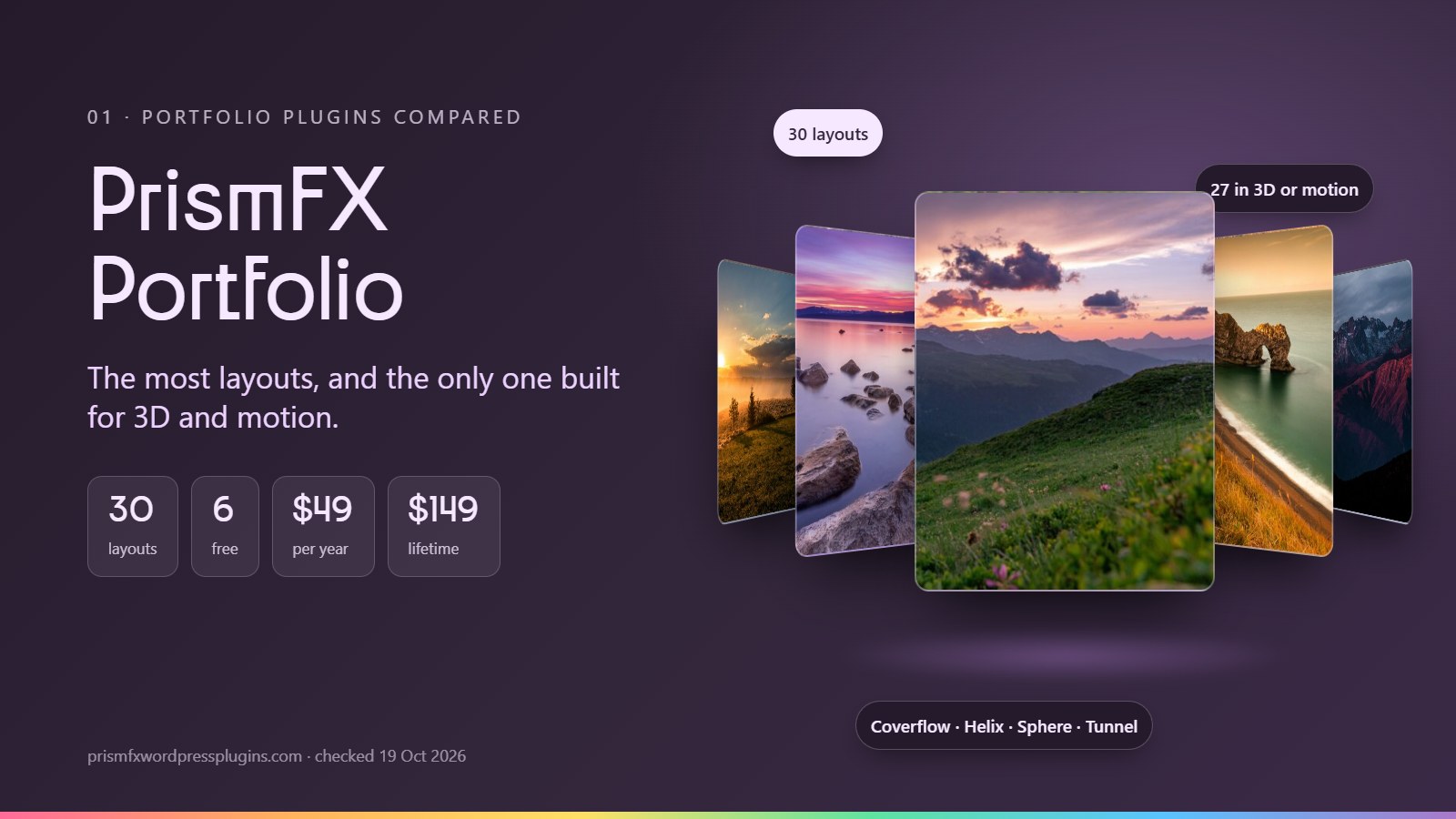
PrismFX is the newest plugin here, yet it has the most layouts (30) and is the only one built around 3D and motion; 27 of its layouts are 3D or animated. The free version covers the essentials (Grid, Masonry and Justified) and adds three 3D layouts: Coverflow, a 3D Ring you can spin, and Expanding Panels. Pro adds 24 more, from Orbit Wheel, Helix and Sphere to Flip Book, Tunnel, Liquid, Infinite Marquee and scroll-driven layouts like Stacking Cards.
Day to day, you drag a folder of photos in and edit titles, descriptions, categories and buttons in one table. You can set columns separately for phones, tablets and desktops, or pick a calmer layout just for phones. Watermarks and shareable links to each photo are free. Albums, video, password-protected galleries and right-click protection are in Pro.
Strengths
- The most layouts of the six: 30, against 16 for Envira and 11 for FooGallery and Modula
- The widest range of 3D and animated layouts we found anywhere
- Watermarks, category filters and a link to every photo are free
- One flat yearly price, plus lifetime licenses from $149
- Scripts load only on pages with a gallery, and galleries load lazily
- Keyboard access, a pause button and “reduce motion” support
Watch out for
- New in 2026, so there are no WordPress.org reviews or long track record yet
- No pagination, load more or search, so very large galleries are better split into albums
- No client proofing, WooCommerce selling, Lightroom or social feeds
- Imports only from 3D Photo Carousels, not from Envira, FooGallery or NextGEN
- No dedicated Elementor widget; you use the shortcode instead
Choose it if you’re a designer, studio or photographer who wants the portfolio itself to impress, and you don’t need to sell or proof inside the gallery.
Personal license for one site. Building for clients? See Studio (5 sites) and Agency (unlimited) →

Alpine First Light

Salt Flats

Fjord at Dusk

Highland Road

Desert Lines

Glacier Lake

Coastal Fog

Pine Ridge

Golden Valley

Northern Shore

Cliffside Village

Night Market

Old Town Steps

Harbour Morning
02 · Envira Gallery
The photographer’s workhorse.

Envira is one of the best-known gallery plugins, and it’s built for working photographers. Its paid plans cover albums, client proofing, Lightroom sync, WooCommerce selling, watermarks, password protection, EXIF data and importers from Dropbox and NextGEN. The vendor lists 16 layouts, including Mason, Bento Grid, Polaroid, Highlight Grid and horizontal carousels. The free Lite version gets the automatic justified layout.
Features are spread across plans. Right-click protection is in Basic; watermarks, password protection, filters and pagination need Plus; and albums, video, proofing, WooCommerce, Lightroom and the Elementor widget need Pro.
Strengths
- Proofing, Lightroom, WooCommerce and albums in one plugin
- Huge user base and more than 1,500 WordPress.org ratings
- Right-click protection from the cheapest plan
- A NextGEN importer for moving old galleries
Watch out for
- First-year prices are 50% off and renew at full price
- Video, albums, proofing and selling need the $199-a-year Pro plan after year one
- No 3D layouts; motion comes from entrance animations
- No lifetime license
Choose it if you shoot weddings or events and need proofing, albums and selling under one roof.
03 · FooGallery
Strong free version, built to sell.
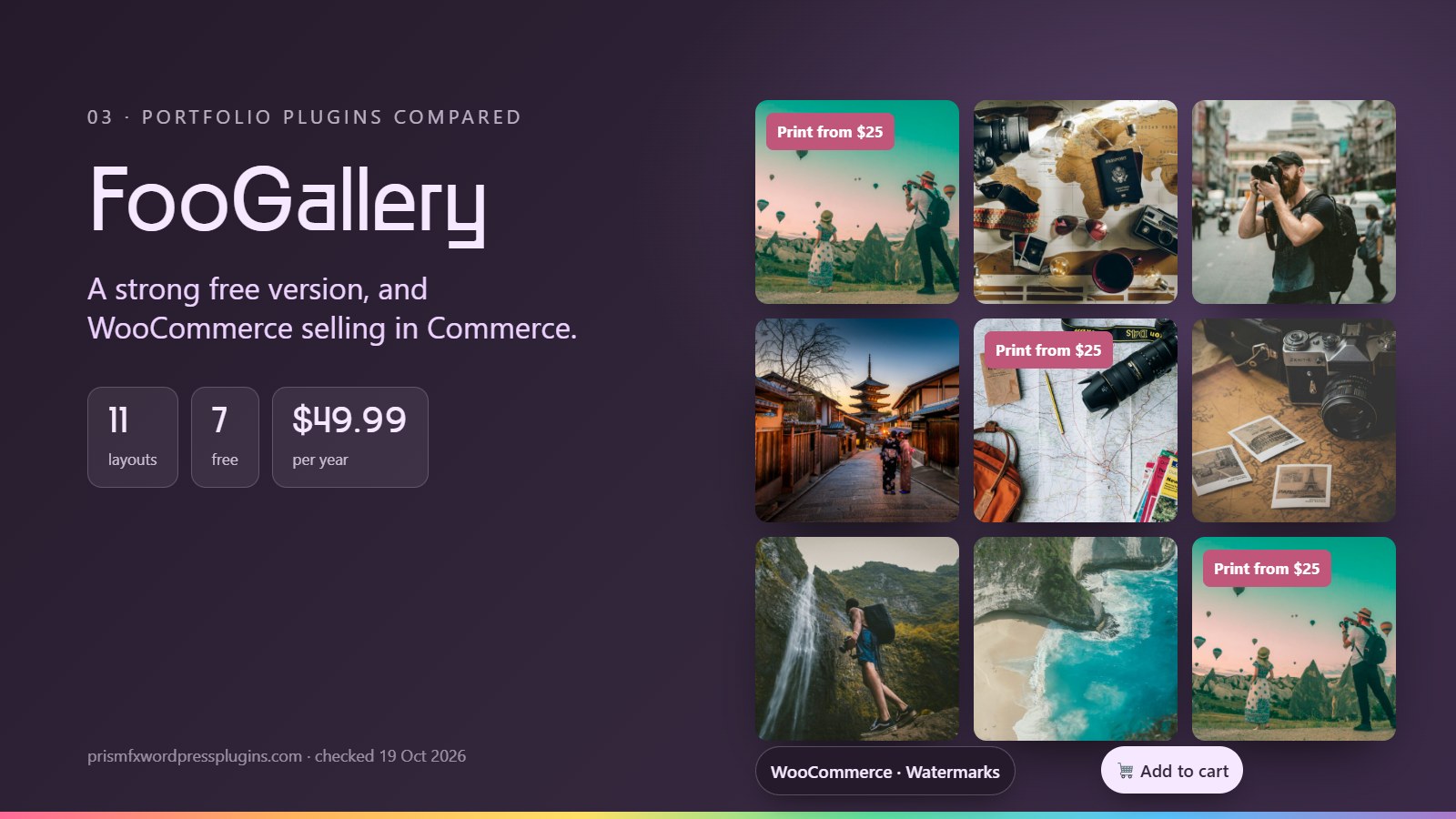
FooGallery has one of the most generous free versions here: seven layouts (Responsive, Masonry, Justified, Portfolio, Image Viewer, Single Thumbnail and Carousel), albums, password-protected galleries, lazy loading and basic pagination. PRO Starter adds Grid, Slider, Polaroid and Spotlight layouts, hover presets and colour sorting. PRO Expert adds video, tag filtering, search, EXIF, advanced pagination and galleries built from folders, posts or Lightroom.
PRO Commerce is the reason many photographers choose it: WooCommerce selling, a “master product” for selling images, buttons and sale ribbons, watermarks and right-click protection.
Strengths
- Albums and password protection are free
- Sells images through WooCommerce (Commerce)
- Lifetime licenses for every plan, a 30-day refund window and a 7-day free trial
- A migrator for galleries from Envira, NextGEN and Modula
Watch out for
- Watermarks and right-click protection only come with Commerce ($109.99 a year)
- Client proofing is a separate add-on
- No 3D layouts
- Renewal pricing isn’t stated on the pricing page
Choose it if you want to sell prints or downloads straight from your galleries, or want a capable free plugin with albums.
04 · Modula
Polished grids and built-in speed tools.
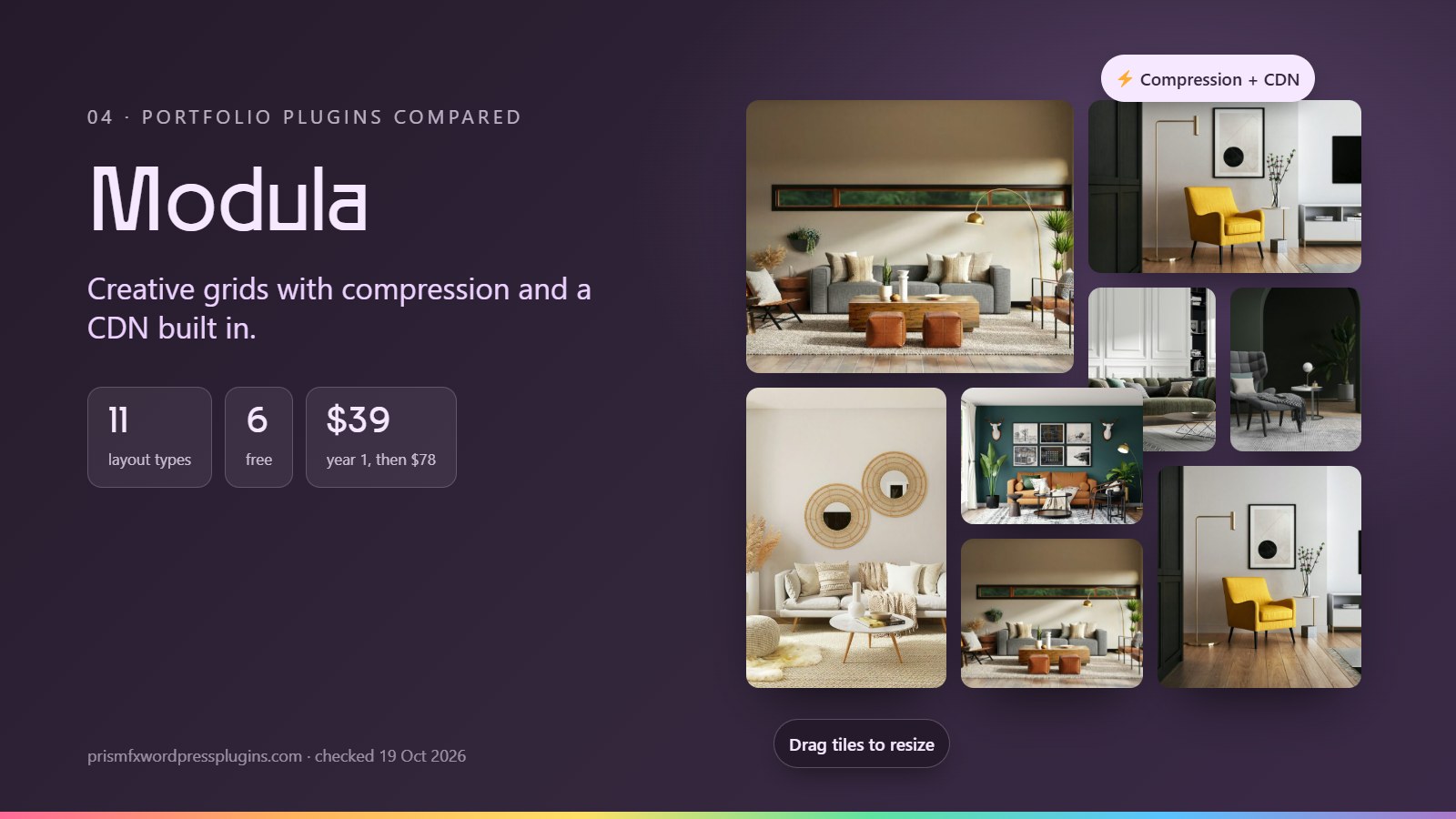
Modula is known for its Creative and Custom Grid layouts, where you size tiles by dragging them. The free version includes Masonry, Uniform Grid, Creative, Custom Grid, Polaroid and Justified Grid, a Fancybox lightbox and two hover effects. Paid plans add up to 42 hover effects, video, filters and sorting (Starter); the slider, albums, password and right-click protection, Instagram, and image compression with a CDN (Trio); and watermarks, proofing, EXIF, deep links and load more (Business).
Its free migration tools are a real plus if you’re leaving NextGEN, Envira or FooGallery.
Strengths
- Image compression and CDN included from the Trio plan
- Free migrators from NextGEN, Envira, FooGallery and others
- Lifetime licenses available
- Video from the cheapest plan
Watch out for
- First-year prices double at renewal ($78, $138 and $198)
- Watermarks, proofing and load more need Business
- No 3D layouts
- Vendor pages disagree on some free-version details
Choose it if you want a polished grid with speed tools built in, or you’re moving away from another gallery plugin.
05 · Visual Portfolio
Long galleries and post-based portfolios.

Visual Portfolio, by nK, does two things PrismFX doesn’t: it pages long galleries with numbered pages, a load more button or infinite scroll (all free), and it builds grids from posts and custom post types, which suits designers whose projects live as posts. Its free version also has Tiles, Masonry, Grid, Justified and a carousel with Coverflow, AJAX filters and sorting, lazy loading, a Gutenberg block, an Elementor widget and WPBakery support.
Pro adds hover tilt, blend modes and image filters, albums, local video, deep linking, watermarks, right-click protection, password protection, an age gate, proofing, social feeds and white-labelling. Every Pro plan has every feature; plans differ only in site count.
Strengths
- Free paging, load more and infinite scroll for long galleries
- Posts and custom post types as a gallery source
- One flat price; Pro features aren’t split across tiers
- Works with Gutenberg, Elementor and WPBakery
Watch out for
- Motion is limited to Coverflow and hover effects
- No lifetime license and no trial
- No WooCommerce selling or Lightroom
- Watermarks and protection are Pro-only
Choose it if your galleries are long enough to need load more or infinite scroll, or your portfolio is built from posts.
06 · Essential Grid
The grid builder for dynamic content.
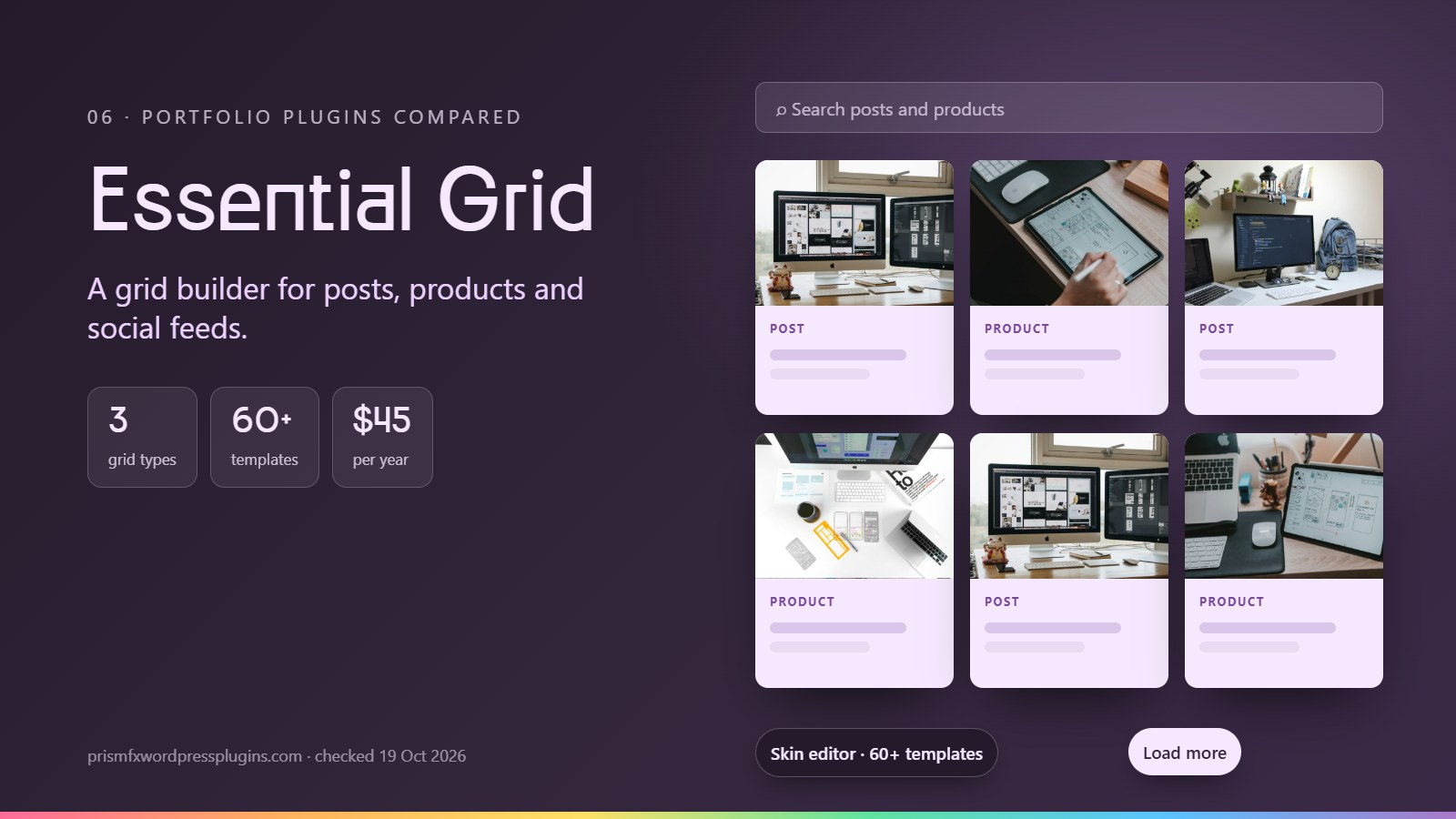
Essential Grid, from the makers of Slider Revolution, is less a photo gallery than a grid builder. It pulls posts, pages, custom post types, WooCommerce products and social streams into Even, Masonry or Cobbles grids, and its skin editor lets you design exactly what each tile shows and how it animates. It comes with 60+ templates, filters with AND/OR logic, search, sorting, load more, infinite scroll, deep links and a Fancybox lightbox.
All plans include every feature. Watermarks, right-click protection and social sources are add-ons, and add-ons, templates and updates stop working when a subscription lapses.
Strengths
- Tile-by-tile control through the skin editor
- Grids from posts, products and social feeds
- Search, sorting, filters and load more built in
- The Scale plan covers up to 250 sites
Watch out for
- No free version to try
- Lots of settings, so expect a learning curve
- No proofing, Lightroom or 3D layouts
- Subscription only; the one-time license has been retired
Choose it if you build grids of posts, products or social content for many client sites.
How to choose
Start with what the gallery has to do.
You want lots of layouts and motion
Pick PrismFX. It has 30 layouts, the most here, and it’s the only plugin with 3D layouts beyond Coverflow. Try the six free layouts first.
You sell prints or downloads
Pick FooGallery PRO Commerce, or Envira Pro if you also need proofing and Lightroom.
You deliver and proof client galleries
Envira Pro, Modula Business or Visual Portfolio Pro have proofing. PrismFX Pro and FooGallery (free) cover password-protected delivery without proofing.
Your work lives in posts or products
Visual Portfolio (free) or Essential Grid. Both build grids from posts and custom post types.
You’re on a tight budget
Start free. PrismFX’s free version has six layouts, three of them 3D, plus watermarks. FooGallery’s free version has albums and password-protected galleries.
You build sites for clients
Look at site-count plans: PrismFX Agency (unlimited, $199 a year or $499 once), Visual Portfolio Studio ($249) or Essential Grid Scale (up to 250 sites, $209).
How we compared
Vendor pages, not guesswork.
We picked the five gallery and portfolio plugins people most often compare against each other: Envira Gallery, FooGallery and Modula (each with 100,000+ active installs), Visual Portfolio, and Essential Grid.
For each one we read the vendor’s pricing page, its feature or plan-comparison pages and documentation, and its WordPress.org listing, all on 19 October 2026. Where a vendor’s own pages disagreed, we used the pricing page and noted the conflict. If a vendor doesn’t mention a feature, we say “Not listed” rather than assuming it’s missing.
PrismFX facts come from the plugin’s own code and settings. We built PrismFX, so weigh our verdicts with that in mind. Spot something out of date? Tell us and we’ll fix it.
FAQ
Portfolio plugin questions.
Sources
Where the facts come from.
All checked on 19 October 2026.
- Envira Gallery pricing
- Envira Gallery layouts
- Envira Gallery Lite on WordPress.org
- FooGallery plans and pricing
- FooGallery on WordPress.org
- Modula pricing
- Modula gallery types
- Modula on WordPress.org
- Visual Portfolio pricing and Free vs Pro
- Visual Portfolio on WordPress.org
- Essential Grid pricing
- Essential Grid manual
- Essential Grid changelog
- PrismFX Pro features and pricing
Keep exploring
See the difference for yourself.
Get all 30 layouts with Pro from $49 a year, or start with the six free layouts on your own site.